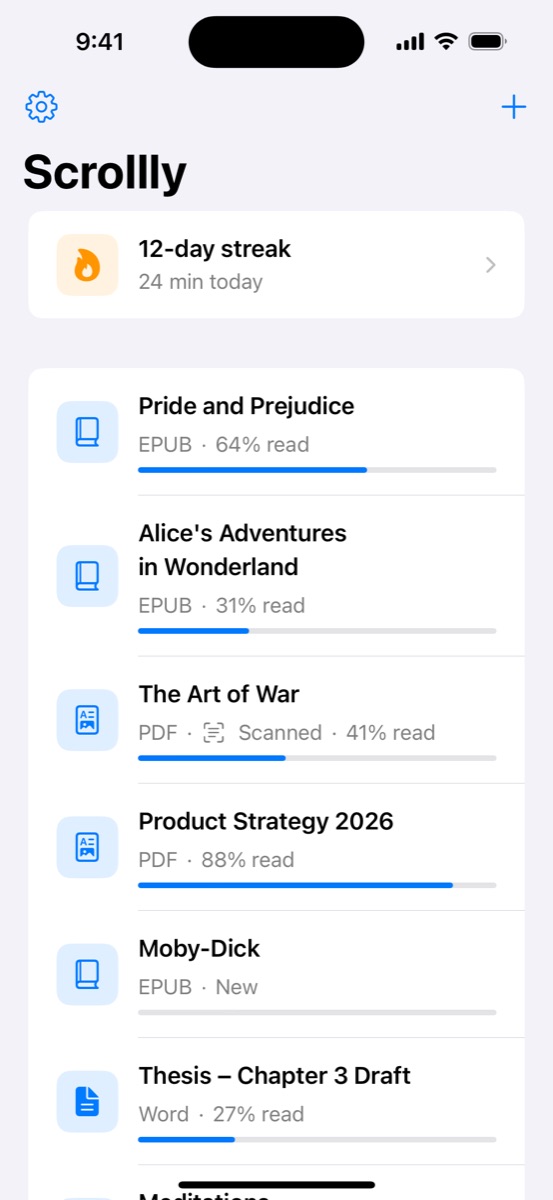
Auto scroll reader for iPhone & iPad

Scrollly: Read hands‑free.
Scrollly scrolls for you.

Open a PDF, an ebook, a Word document or a web article, press play, and watch the words glide by at exactly your pace. No swiping, no page turns, no losing your place — just reading.

  • Free to download
  • iPhone & iPad
  • No account needed

Chapter 1

It is a truth universally acknowledged, that a single man in possession of a good fortune, must be in want of a wife.

However little known the feelings or views of such a man may be on his first entering a neighbourhood, this truth is so well fixed in the minds of the surrounding families, that he is considered the rightful property of some one or other of their daughters.

“My dear Mr. Bennet,” said his lady to him one day, “have you heard that Netherfield Park is let at last?”

Mr. Bennet replied that he had not.

“But it is,” returned she; “for Mrs. Long has just been here, and she told me all about it.”

Mr. Bennet made no answer.

“Do you not want to know who has taken it?” cried his wife impatiently.

“You want to tell me, and I have no objection to hearing it.”

This was invitation enough.
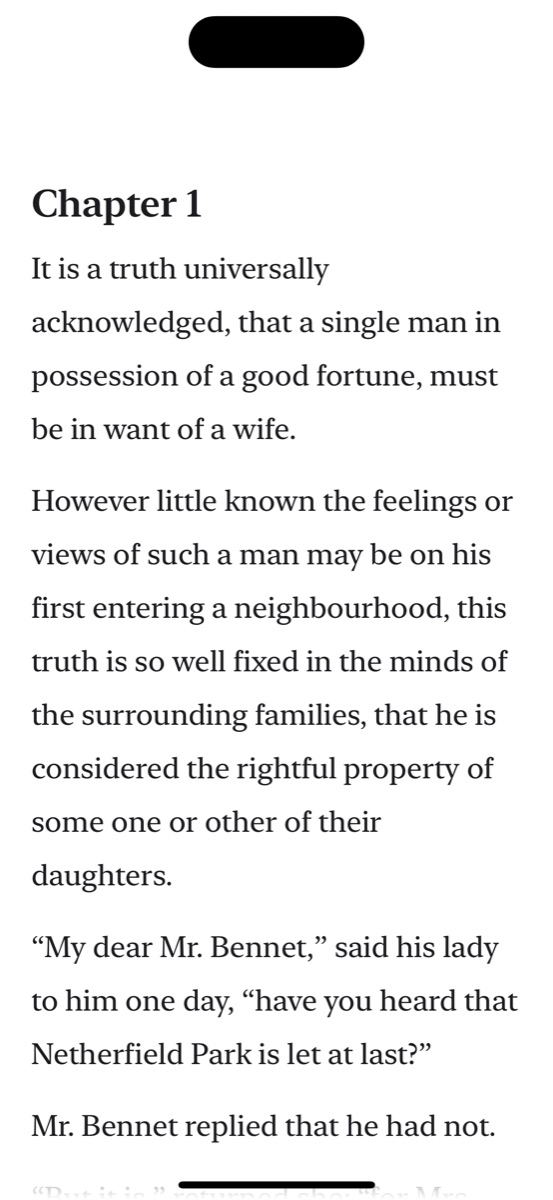
An animated preview of Scrollly automatically scrolling the first chapter of Pride and Prejudice.
7ways to import text
2–200points per second
9reading fonts
3reading themes
0accounts or sign-ups

What is Scrollly?

A reading app that keeps the words moving.

Scrollly is an auto scroll reader for iPhone and iPad. Instead of swiping through a long document line by line, you choose a speed and the text rolls smoothly up the screen on its own.

It works with the files you already have: PDF reports and papers, EPUB ebooks, Microsoft Word documents, RTF and plain text files, and articles from the web. Scrollly pulls out clean, readable text, lays it out beautifully in your favourite font, and remembers exactly where you stopped.

The result is a calmer, steadier way to read. Your hands are free while you eat, stretch, ride an exercise bike or hold a cup of coffee. Your eyes settle into an even rhythm instead of jumping after every swipe. And because the screen stays awake while the text is moving, you never come back to a dark display halfway through a paragraph.

Features

Everything you need to read hands‑free.

Scrollly is small and focused, but every detail is designed around one idea: comfortable, uninterrupted reading on a phone or tablet.

Smooth hands-free auto scroll

Text moves continuously, not page by page, so there is no jarring jump. Pause with a tap and pick up exactly where you were. The screen stays awake while you read.

Precise speed control

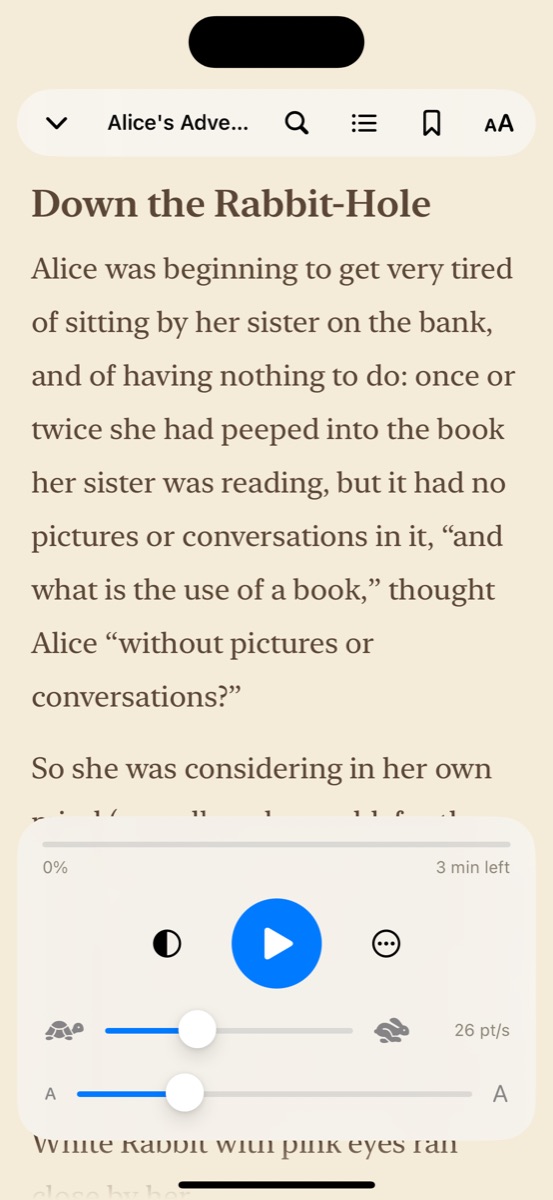
Set a speed anywhere from 2 to 200 points per second. Speed is measured in screen distance, so it stays the same when you make the text larger or smaller.

Read almost any document

Import PDF, EPUB, DOCX, RTF and TXT files from the Files app, iCloud Drive, email attachments and other apps. Scrollly turns them into clean, flowing text.

Save web articles

Share a page from Safari or paste a link. Scrollly strips away menus and clutter, keeps the article itself, and saves it to your library for later.

Scans & photos with OCR

With Pro, scan paper pages with your camera or import scanned PDFs, photos and screenshots. On-device text recognition turns them into readable text.

Chapters, search & bookmarks

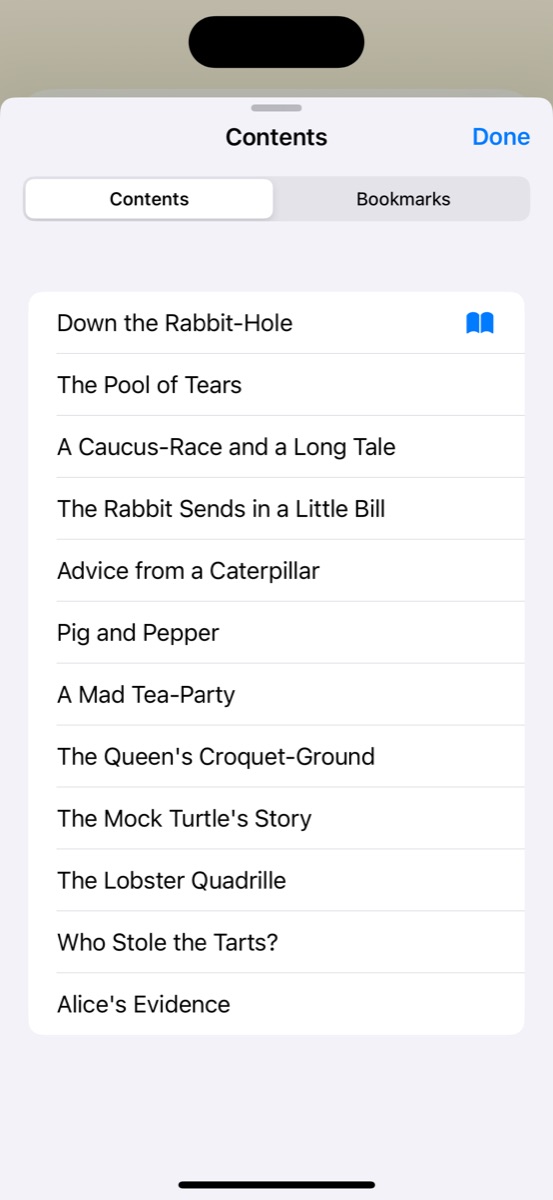
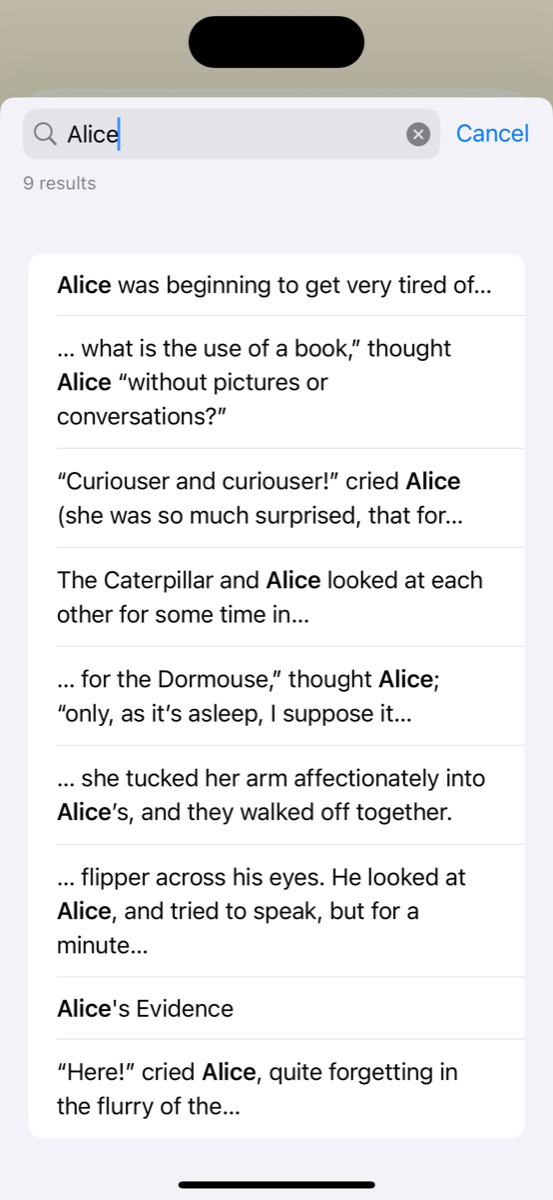
Jump to any chapter or heading, search the full text, and bookmark the passages you want to return to. Your reading position is saved automatically.

Typography your way

Choose from nine fonts including New York, Charter, Georgia, Iowan and Palatino, adjust the text size from 12 to 48 points, and pick light, dark or sepia.

Reading streaks & widgets

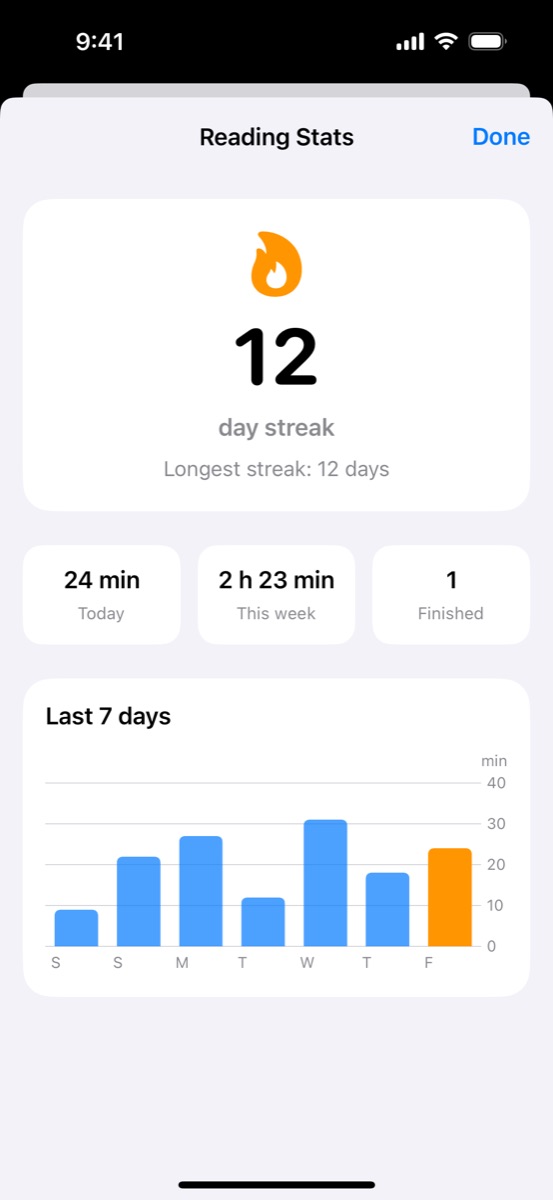
Build a daily reading habit with streaks and a chart of your last seven days. Home Screen and Lock Screen widgets show your streak and take you straight back to your book.

iCloud sync across devices

With Pro, your library, reading positions and settings stay in sync between your iPhone and iPad through your own private iCloud account.

Try it right here

Feel the difference in a few seconds.

This little demo works the way the reader inside Scrollly does. Press play, then change the speed, the text size and the theme. Notice how the speed stays steady when you make the words bigger — that is exactly how the app behaves.

The real app adds chapters, search, bookmarks, nine fonts and your own documents.

Why reading hands-free feels easier

When you read on a phone, your thumb is always busy. You read a few lines, swipe, find your place again, and read a few more. Each swipe is tiny, but together they break your focus hundreds of times in a single chapter.

An auto scroll reader removes that work. The text moves at a pace you choose, and your eyes simply rest near the same spot on the screen while new lines arrive. Many readers find that this steady rhythm makes long documents feel shorter and makes it easier to stay with a difficult text.

The secret is finding the right speed. Start a little slower than feels natural. After a page or two, nudge the speed up until the words arrive just as you are ready for them. If you want to linger on a sentence, tap to pause, then carry on.

Bigger text is easier on the eyes, especially at night or from a distance. In Scrollly, making the text larger does not make it rush past faster. Speed is measured in points per second, so fewer words pass by when the type is bigger, and the motion always feels the same.

Pick a theme that suits the light around you: bright white for daytime, warm sepia for long sessions, and a soft dark theme for reading in bed. Then lean back and let the words come to you.

How it works

From file to hands-free reading in three steps.

  1. Import your document

    Tap the plus button to pick a file from the Files app or iCloud Drive, paste a link to an article, or use the Share button in Safari, Mail and other apps to send a document straight to Scrollly.

  2. Make it comfortable

    Scrollly extracts the text in seconds. Choose your font, text size and theme once and they apply to everything you read. Chapters and headings are detected automatically.

  3. Press play and read

    Set your speed and let the text scroll. Tap to show the controls, pause or change speed. Close the book at any time — Scrollly remembers your exact position for next time.

Inside the app

Clean, quiet and built for reading.

Real screens from Scrollly on iPhone. No clutter, no ads in the reader — just your text.

Supported formats

Bring the documents you already have.

Scrollly reads text from these sources and turns them into one consistent, comfortable reading view.

File types and sources supported by Scrollly
FormatWhat you can readPlan
PDFReports, research papers, manuals, contracts and ebooks with selectable textFree
EPUBDRM-free ebooks, including public domain classics, with chapters detected automaticallyFree
Word (DOCX)Essays, drafts, scripts, speeches and study notes from Microsoft Word or Pages exportsFree
RTF & TXTRich text and plain text files, including older text encodingsFree
Web articlesBlog posts, news stories and long reads shared from Safari or pasted as a linkFree
Scanned PDFsImage-only PDFs converted to text with on-device OCRPro
Photos & camera scansScreenshots, photos of pages, and paper pages scanned with the cameraPro

Free includes three imports in total. Password-protected PDFs and DRM-protected ebooks cannot be opened.

Made for real life

When your hands are busy, keep reading.

People use Scrollly in all kinds of moments where swiping is awkward, tiring or simply gets in the way.

At the gym

Prop your phone on the treadmill, exercise bike or rowing machine and get through a chapter during your workout.

Over breakfast

Read the news, a newsletter or a novel while you eat, without touching the screen with sticky fingers.

Studying

Work through lecture notes, research papers and textbooks at a steady pace that keeps you moving and focused.

Rehearsing a talk

Practise a speech, presentation or script by reading it aloud at an even tempo, like a simple personal prompter.

Reading in bed

Switch to the dark theme, raise the text size, and relax as the story scrolls by without lifting your hand.

Comfortable access

For readers who find repeated swiping tiring or difficult, a single tap to play can make long texts far more comfortable.

Free & Pro

Start free. Upgrade when you are ready.

Scrollly is free to download and the full reading experience is yours from the first tap. Scrollly Pro unlocks more for people who read a lot.

Scrollly

Free

  • Hands-free auto scroll at 2–200 pt/s
  • 3 document imports included
  • PDF, EPUB, Word, RTF, TXT and web articles
  • 9 fonts and adjustable text size
  • Light and dark themes
  • Chapters, full-text search and bookmarks
  • Reading streaks, stats and widgets

Scrollly Pro

Monthly, yearly or lifetime

  • Everything in Free, plus:
  • Unlimited imports
  • Read scanned PDFs, photos and screenshots (OCR)
  • Scan paper pages with the camera
  • Warm Sepia reading theme
  • Custom line spacing
  • iCloud sync between iPhone and iPad
Get Scrollly

Pro is an optional in-app purchase. See the App Store listing for current prices in your region. Subscriptions can be managed or cancelled in your Apple ID settings.

Private by design

Your documents stay yours.

Scrollly does not ask you to create an account. Your files and reading positions are stored on your device, and text recognition for scans and photos runs on-device rather than on a server. If you choose iCloud sync, your library travels through your own private iCloud account — original files stay on the device you imported them on. The App Store privacy label for Scrollly reads Data Not Collected.

Read the privacy policy

Reading guide

How to choose the right auto scroll speed

The most common question new Scrollly readers ask is how fast they should set the scroll. There is no single right answer, because comfortable speed depends on your reading pace, the text size, the screen and the kind of material in front of you. These tips will help you find a speed that feels effortless.

Start slower than you think

Begin around 20 to 30 points per second with a medium text size. It may feel slow for the first few lines, but a relaxed start lets your eyes settle into the rhythm. After a page, raise the speed in small steps until new lines arrive right as you finish the previous ones.

Match the speed to the material

A light novel or a news article can run faster than a dense academic paper or a legal contract. When you switch to a more demanding text, drop the speed a little. Many readers keep a slower speed for study and a faster one for fiction.

Let text size do the work

In Scrollly, speed is measured in screen distance, not words. If the text feels like it is moving too quickly, try making it larger instead of slowing down: bigger type means fewer words pass per second, while the motion stays just as smooth.

Keep your eyes in one place

Try to rest your gaze around the upper third of the screen and let the lines come to you. Chasing the text down the screen is tiring; staying put is relaxing. Pause with a tap whenever you want to reread or think about a passage.

Pick the right theme for the light

Use the light theme in bright rooms, the dark theme at night to reduce glare, and sepia for long sessions when you want a softer, paper-like contrast. Comfortable contrast lets you read at a steadier speed for longer.

Build the habit

Even ten minutes a day adds up. Scrollly's reading streak and the widget on your Home Screen or Lock Screen are gentle reminders to open your book, and the stats screen shows how your reading time grows week by week.

FAQ

Frequently asked questions

What is Scrollly?

Scrollly is an auto scroll reader for iPhone and iPad. You import a document, press play, and the text scrolls up the screen at a steady speed you choose, so you can read without swiping or tapping to turn pages.

Is Scrollly free?

Scrollly is free to download and includes three free imports along with the full auto scroll reader, fonts, light and dark themes, chapters, search, bookmarks, reading streaks and widgets. Scrollly Pro is an optional in-app purchase — a monthly or yearly subscription, or a one-time lifetime unlock — that adds unlimited imports, text recognition for scans and photos, the Sepia theme, custom line spacing and iCloud sync.

Which file formats can Scrollly open?

Scrollly opens PDF documents, DRM-free EPUB ebooks, Microsoft Word (.docx) files, RTF and plain text (.txt) files, and web articles from Safari or a pasted link. With Scrollly Pro it can also read text from scanned PDFs, photos, screenshots and pages you scan with the camera.

Can Scrollly read scanned PDFs and photos of text?

Yes, with Scrollly Pro. Scanned PDFs, photos and screenshots are converted to text using on-device text recognition (OCR), so your pages are not uploaded to a server.

How do I change the scrolling speed?

Use the speed control in the reader. Speed is set in points per second, from a very slow 2 pt/s up to 200 pt/s. Because speed is measured in screen distance rather than lines, it stays the same when you change the font size.

Does Scrollly work on iPad?

Yes. Scrollly runs on iPhone and iPad with iOS 17 or iPadOS 17 and later. With Scrollly Pro, your library, reading positions and settings can sync between devices through iCloud.

Can I read web articles in Scrollly?

Yes. Share an article from Safari or another app to Scrollly, or paste a link inside the app. Scrollly extracts the readable article text and saves it to your library so you can read it hands-free.

Does Scrollly read documents aloud?

No. Scrollly is a visual reading app, not a text-to-speech app. It moves the text for you at a steady pace so you can read it with your eyes, hands-free.

Can I open Kindle or Apple Books purchases?

Scrollly supports DRM-free EPUB files only. Books protected with DRM, which includes most store-bought Kindle and Apple Books titles, cannot be opened. Public domain and DRM-free ebooks work well.

Is my data private in Scrollly?

Your documents are stored on your device and Scrollly does not require an account. If you turn on iCloud sync with Scrollly Pro, your library text and reading positions sync through your own private iCloud account. The App Store privacy label for Scrollly states Data Not Collected.

Scrollly app icon

Sit back. Your next chapter scrolls itself.

Download Scrollly for iPhone and iPad and start reading hands-free today.

Download on theApp Store

Requires iOS 17 or iPadOS 17 or later · English & Dutch